MEET SMART AI
Your ideas. A helping hand.
YOUR WORK. YOUR DIRECTION.
A clearer starting point.
Bring your ideas, choose the context and review every suggestion. Smart AI is focused on the work you do in Easywan.
How your information is handled
A CONVERSATION. A CLEAR NEXT STEP.
From “how do I?” to “let’s go.”
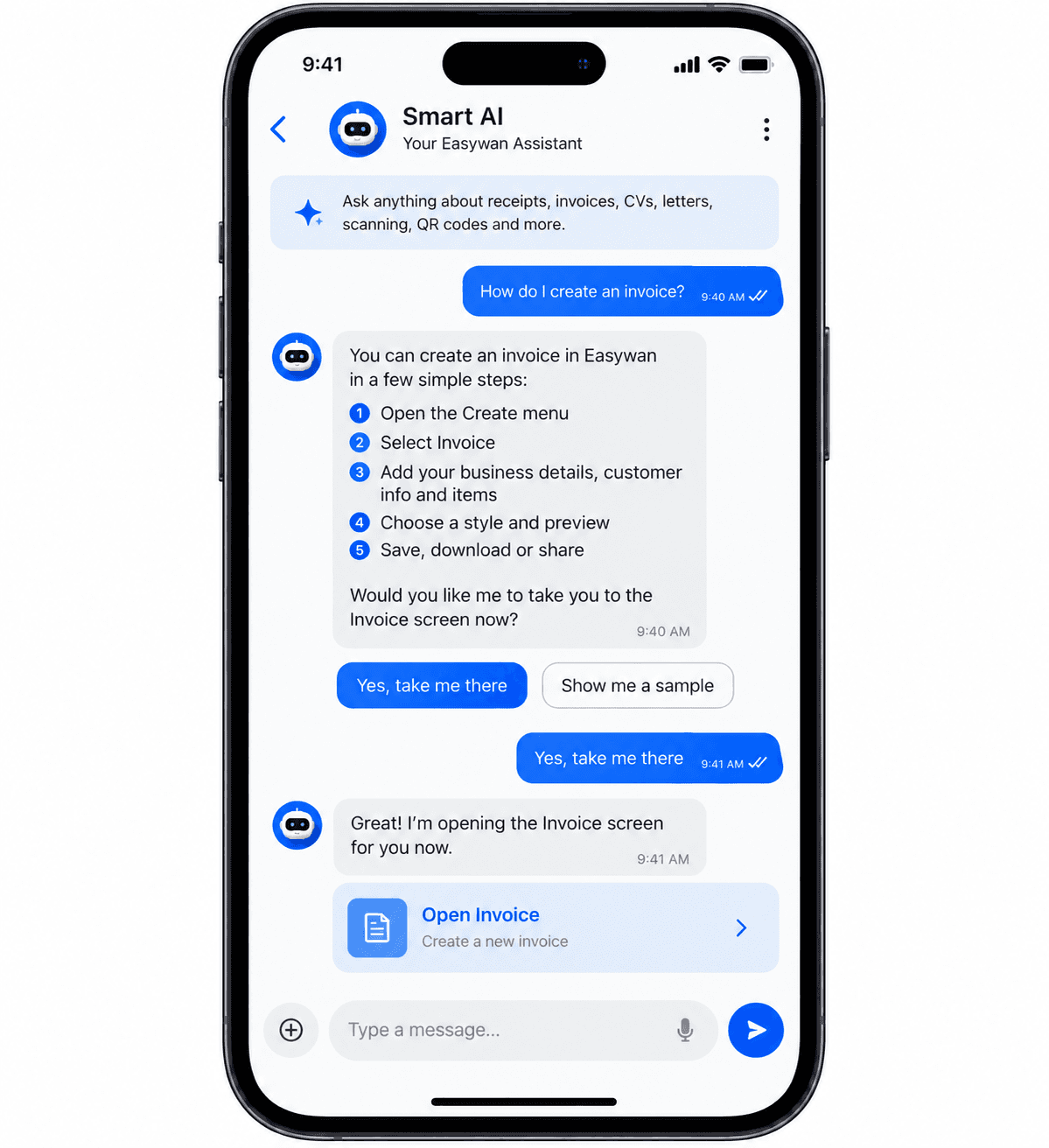
Ask about an Easywan task. Get clear guidance, then choose where to go next.
- Ask in your own words.Start with a question, such as how to create an invoice.
- See the steps.Read the guidance before deciding what to do.
- Choose the next action.Smart AI asks before taking you to the relevant screen.
A preview of the mobile conversation experience. Smart AI is being prepared for release.
01 / SMART AI
Start with your own words.
Draft a letter, improve a CV section, organize receipt or invoice details, refine a description or ask for help with a supported form. Smart AI should ask when key facts are missing.
02 / SMART AI
Prepare. Review. Apply.
Suggestions are proposals. You check the wording and fields before changes are applied. The app controls calculations, official receipt numbers and finalization.
03 / SMART AI
Useful context, chosen by you.
Share only the selected text or form context needed for the task. Your private documents are not a general knowledge source for other users.
04 / SMART AI
Help within Easywan.
Get guidance and navigation for documents, scanning, OCR, PDF and QR workflows. V1 does not include image generation, logo creation or a general web-search chatbot.
05 / SMART AI
Privacy and practical limits.
Gemini requests go through a secure backend. Usage limits and spending controls can pause the service. You can continue manual drafting when AI is unavailable.
A little less busywork.
Make room for
what’s next.
Easywan brings the everyday tools you need into one simple place.
Coming soon for phones & tablets.